Audio and video digitization on a single-station workplace following the highest industry standards for workflow management, transfer quality, and encoding.
Scroll down to discover the exciting details available in EXPERT MODE!
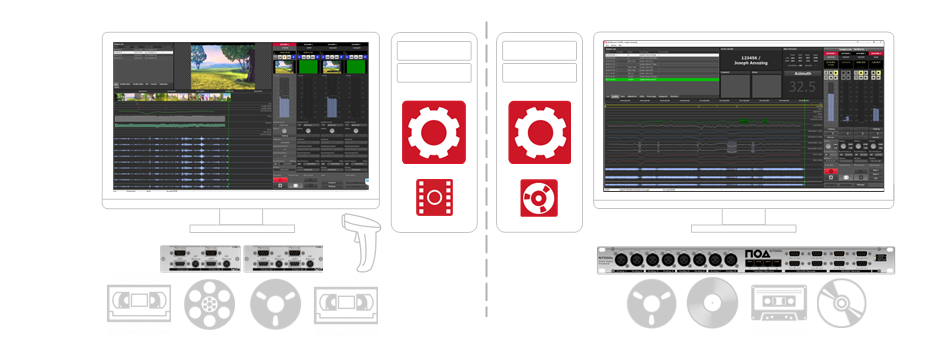

PICO transforms your computer into a powerful standalone solution for A/V digitization and workflow management. With PicoService you can create job lists, process transfers efficiently, and automate post-processing and delivery - all within one intuitive environment.
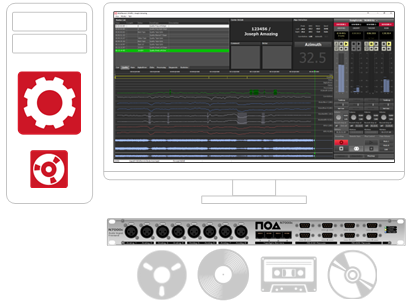
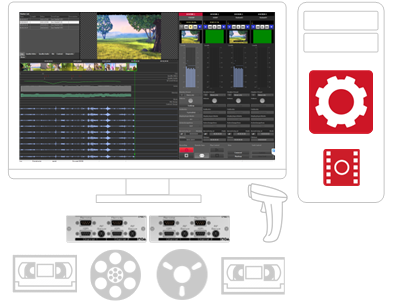
Choose NOARecord PICO for professional audio transfers or FrameLector PICO for high-quality video digitization - both built on the same powerful standalone platform.

PICO is available as a NOA Software and Hardware package for straightforward self-installation on a client's PC that meets NOA’s recommended specifications, ensuring reliable and high-performance digitization. The solution can be acquired as a capital investment or provided through a flexible rental model.
PICO is also offered as a fully integrated, ready-to-operate rental system, including professional audio or video playback devices and PC workstation. Each unit is pre-configured, tested, and optimized by NOA prior to delivery. The system arrives plug-and-play ready, enabling rapid deployment and immediate start of digitization workflows.


|
|

|
|
|---|---|---|---|
Team size = 1? |
PICO is not just a digitizer. |
Archive spread across multiple locations? |
Operational within a single day. |
With NOA’s PICO solution, a single operator can achieve professional, high-throughput digitization on one workstation. PICO integrates all core preservation components into a compact, quality-controlled environment that manages every step from ingest to final file creation. |
It manages conversions, central databases, user roles, workflow design, and full process logging in one system. Transcoding and distribution are built in. No servers. No complex networks. No heavy IT infrastructure. Just one powerful workstation. |
A PICO setup fits into a suitcase and can be deployed at any branch site. Pre-configured and ready to operate, it requires only minimal on-site setup. Operator training is reduced to simple workflow instructions, enabling immediate productivity without relocating your archive. |
Install the software, connect the players, load workflow templates, and complete a short system introduction. PICO’s low complexity minimizes ramp-up time and gets small facilities productive almost immediately. |
PicoService is the Windows service that provides the database functionality required to combine NOARecord software and the N7000c hardware into a complete, single-workstation digitization solution.
It offers freely configurable workflow templates suited to a wide range of archival carrier formats and playback machines. Additional features include intuitive job creation, user management, and comprehensive logging of every job processed on the PICO workstation.
Start with ready-to-use templates or tailor workflows to match your exact digitization requirements. Once configured, every carrier is processed automatically according to defined standards, ensuring consistency from the first item to the last.
Smart load verification prevents handling mistakes before they happen. Semi-automated and fully automated process steps reduce manual interaction, accelerate production, and deliver reliable, high-quality files with minimal effort.
Explore "Expert Mode" for additional details!
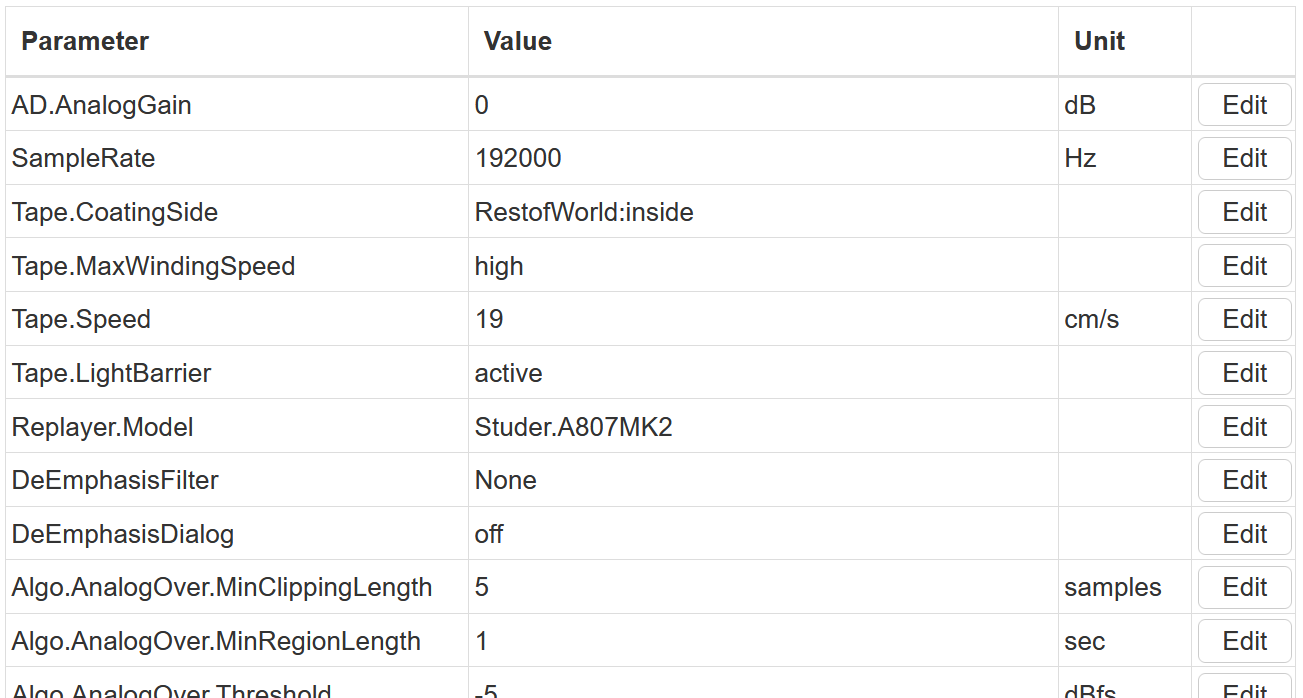
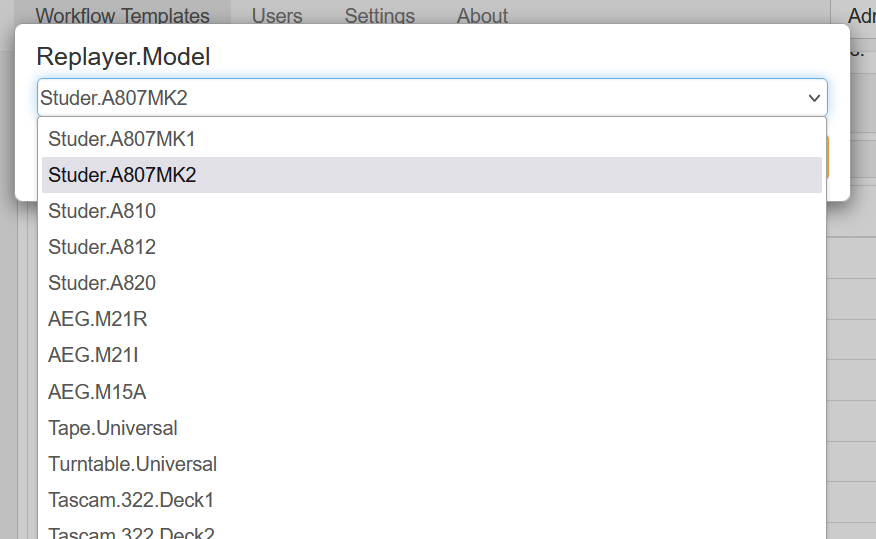
To accommodate a wide range of carrier types, workflows include adjustable parameters such as analog gain, playback speed, field order, and more. Once configured, NOARecord for audio or FrameLector for video automatically applies the correct settings, ensuring each carrier is digitized precisely according to its assigned template.
Defining the player type within the workflow template prevents tasks from being routed to incompatible channels. This built-in safeguard minimizes operator error and guarantees the correct playback environment for every transfer.
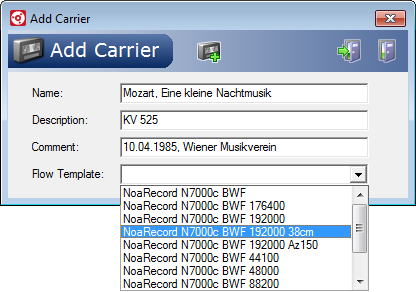
PICO offers three methods of generating jobs in the database.
| Digitization | Transcoding | Finalization |
|---|---|---|
| Once a job is loaded in the recording software, it is converted into a digital file stored in an internal, lossless working format. Full transfer quality control, including segmentation, annotation, and carrier-specific adjustments is available, ensuring accurate and controlled digitization. | After transfer and QC, the final archival master is generated from the working file. Standard formats include BWF for audio and FFV1 for video, with additional codecs available through third-party integration. |
In the final step, files can be further processed, including automated naming based on metadata, metadata transformation via stylesheets, and integration of external post-processing tools through command-line interfaces, allowing smooth integration into existing archival systems. |
NOA, Release Manager
"NOARecord and FrameLector Pico provide the easiest access and top-quality approach to the professional digitization of audio-visual materials for all types of archives."
jobDB Archive Workflow Management
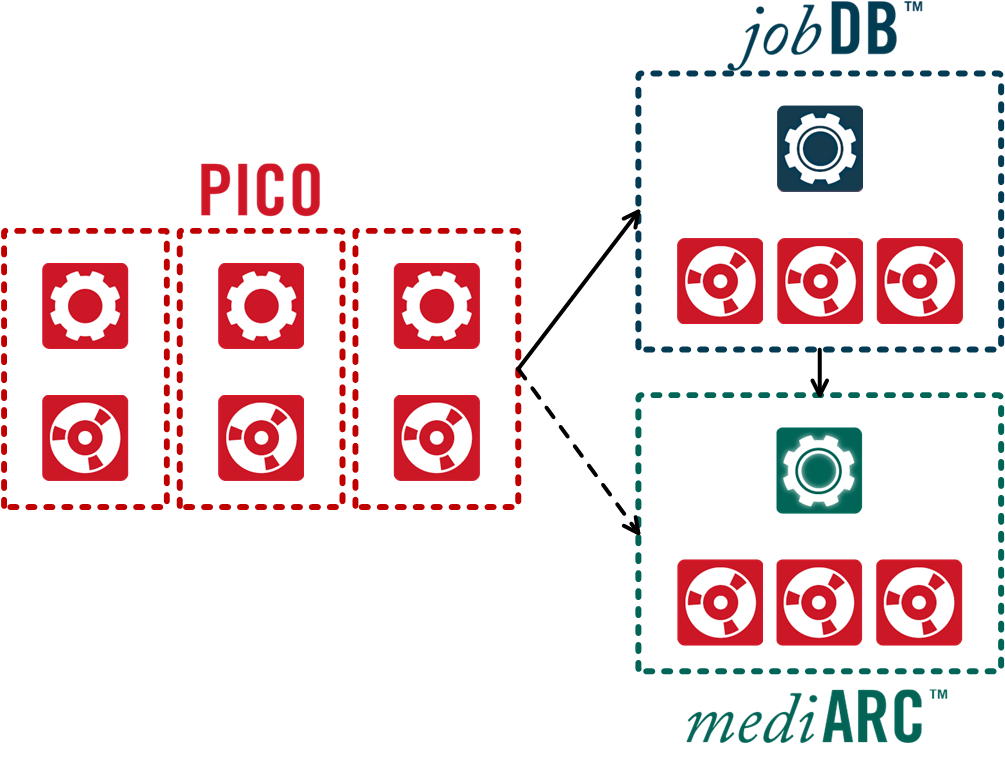
jobDB is database-controlled workflow engine that serves as a robust backbone for all archive projects that require central management, advanced media processing and sophisticated task division.
mediARC Archive Asset Management
mediARC is an OAIS compatible enterprise-level framework for Archive Asset Management, which allows for tightly integrated handling of both media content and its associated metadata, whilst putting interaction with the system under the control of a dedicated workflow engine.
Pico workstations, like all NOA solutions, is designed to run on commercial off-the-shelf (COTS) hardware and to operate seamlessly on standard Windows operating systems. This approach guarantees that the hardware underlying NOA's solutions is not only easily maintainable and accessible but also highly reliable, offering users peace of mind with its long-term stability and dependability.
For optimal operation, NOA provides: